The Essentriq how-it-works library
Six steps,
one verified change
Request, plan, approve, execute, verify and record the evidence: each step on the actual screen, what Essentriq applies today versus hands to a person, and the practical answers buyers ask for.
Full shelf
17 items
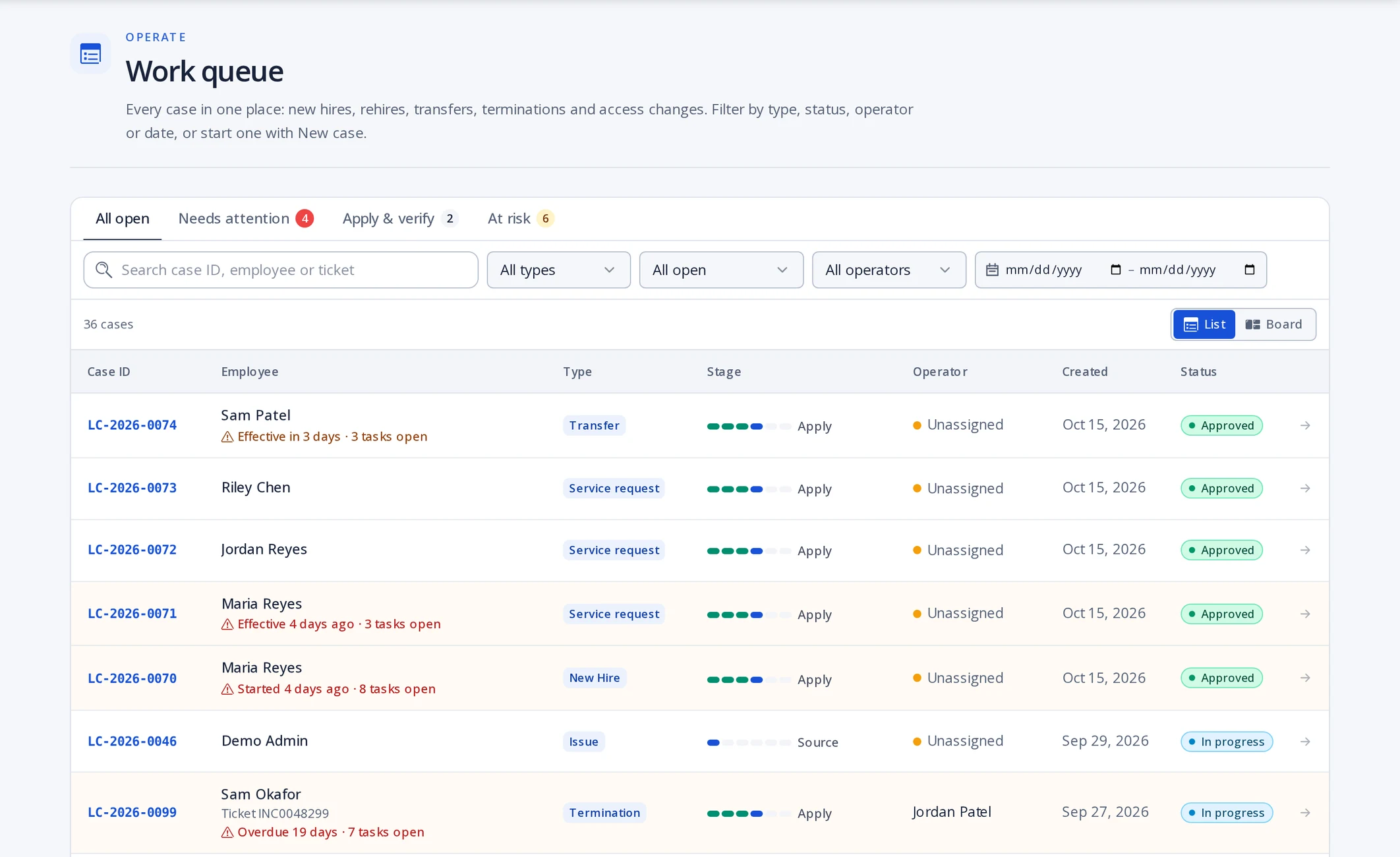
Product screenshot: Work queue 1Request
Every joiner, mover, leaver or access request becomes one case, with the person's record attached.
- Who acts
- HR system, manager in the portal, or IT analyst
- Systems
- Workday, BambooHR, HR feed, portal, ServiceNow or Jira
- Recorded
- Case created; source and requester logged
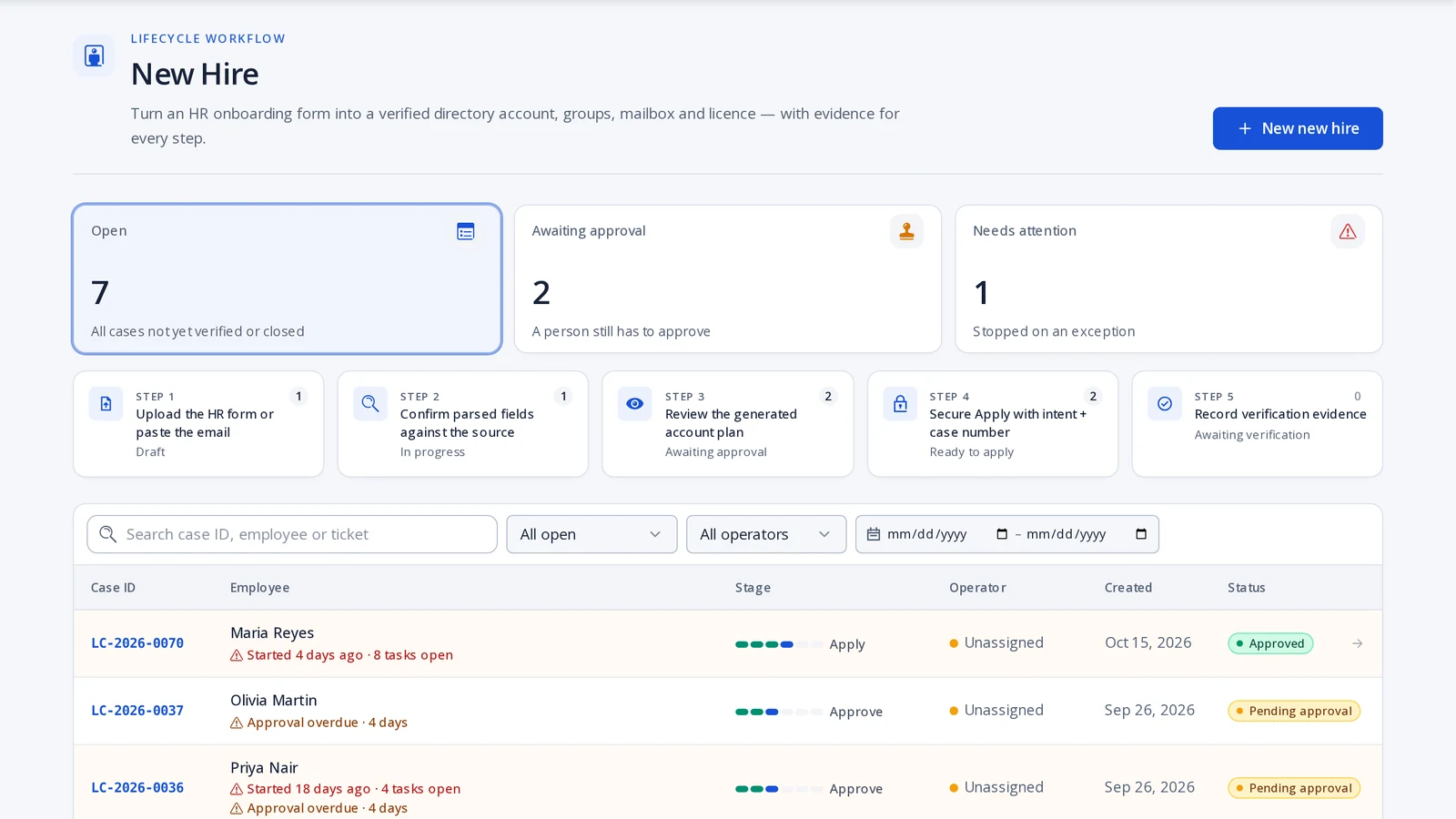
Product screenshot: Lifecycle workflow 2Plan
Essentriq turns the request into a concrete plan of accounts, groups, licences and tickets, checked before anyone approves it.
- Who acts
- Essentriq, from your role profiles
- Systems
- Role profiles, naming rules, policy, live directory
- Recorded
- Plan version and the checks it passed
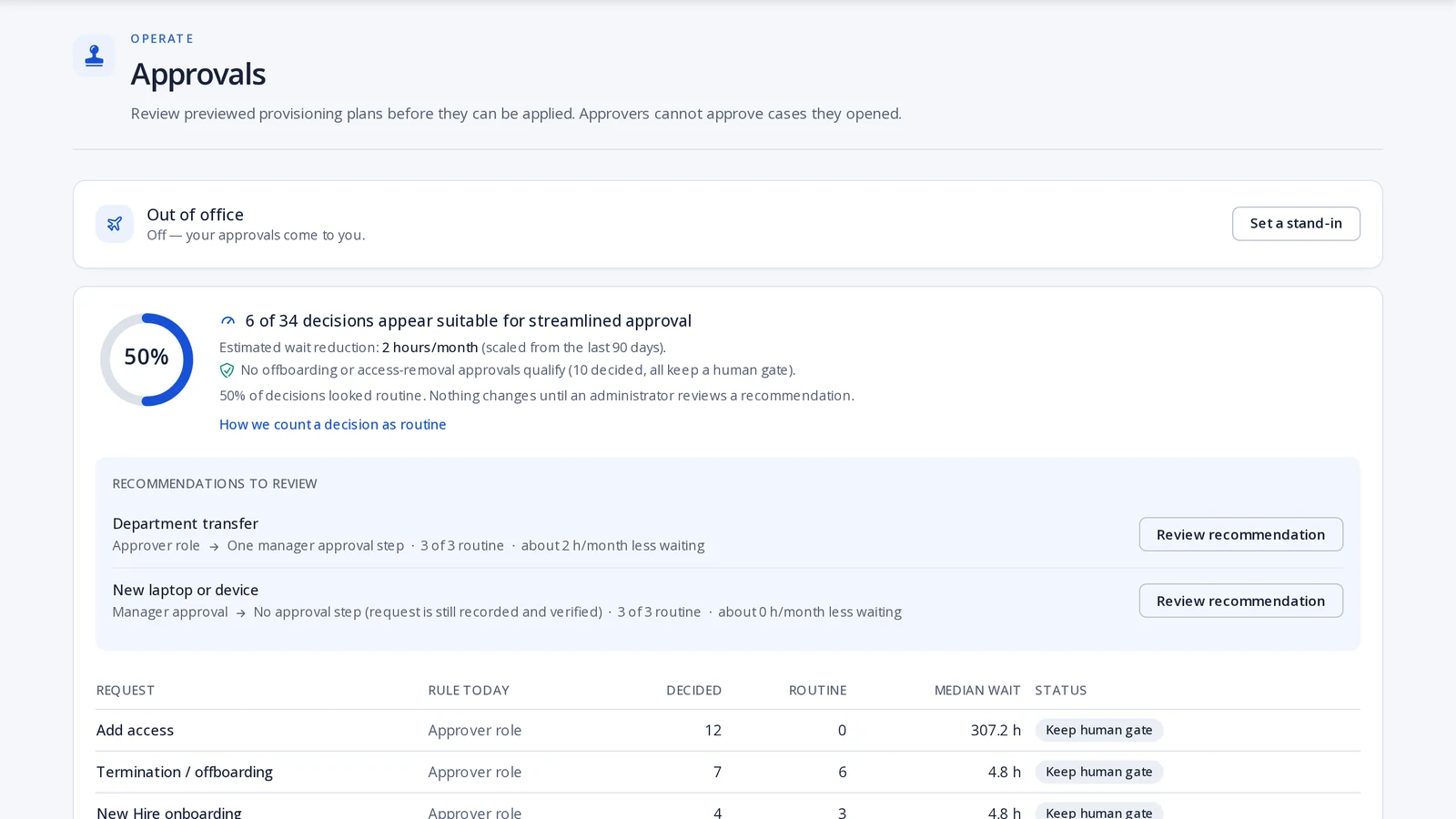
Product screenshot: Approvals 3Approve
Approvers read a plain-language brief and decide. They never apply the change themselves.
- Who acts
- Manager, application owner or data steward
- Systems
- Approval policies, separation-of-duties rules
- Recorded
- Each decision with who, when and why
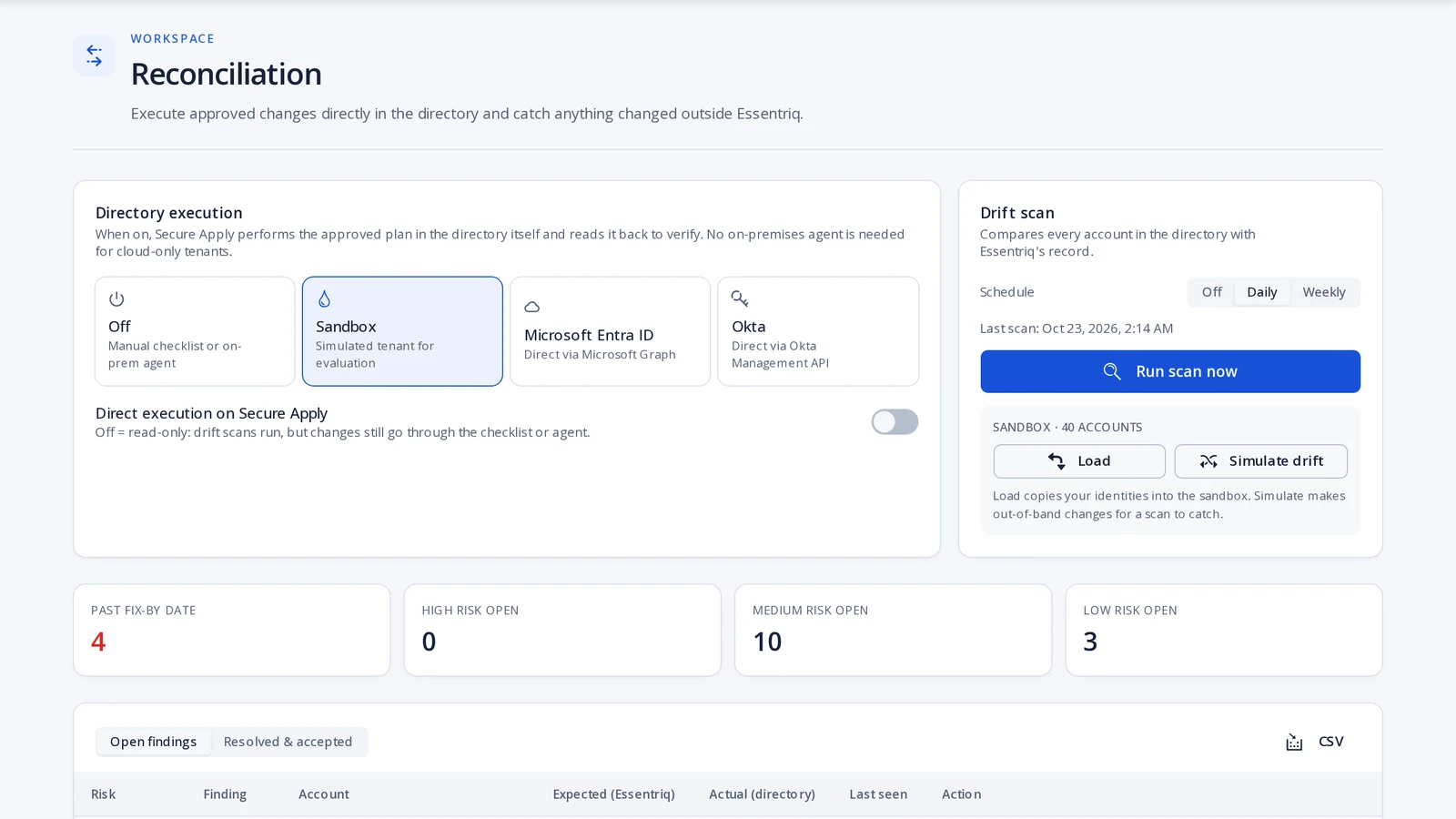
Product screenshot: Secure Apply 4Execute
Changes are applied in order with a live log. Anything without a connector arrives as a checklist with the exact values.
- Who acts
- IT operator through Secure Apply, or automation
- Systems
- Entra ID, Okta, Microsoft 365; ServiceNow, Jira, ServiceDesk Plus
- Recorded
- Operator intent and a SHA-256 hash per change
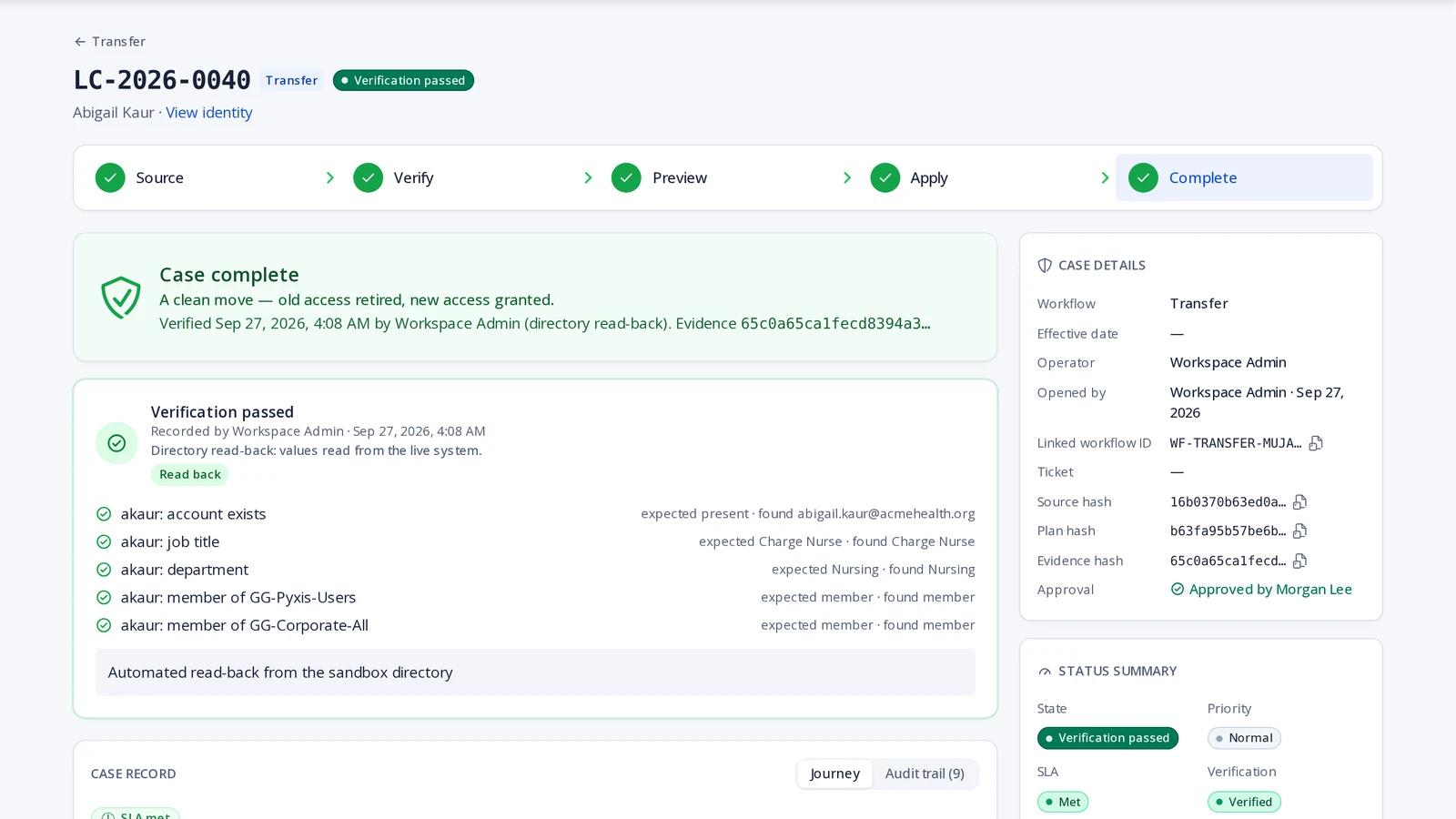
Product screenshot: Case verification 5Verify outcome
The directory is read back after every apply. Expected versus actual, field by field; mismatches go to Exceptions.
- Who acts
- Essentriq, automatically
- Systems
- Directory read-back: account, status, title, groups, licence
- Recorded
- Before and after state, verification result
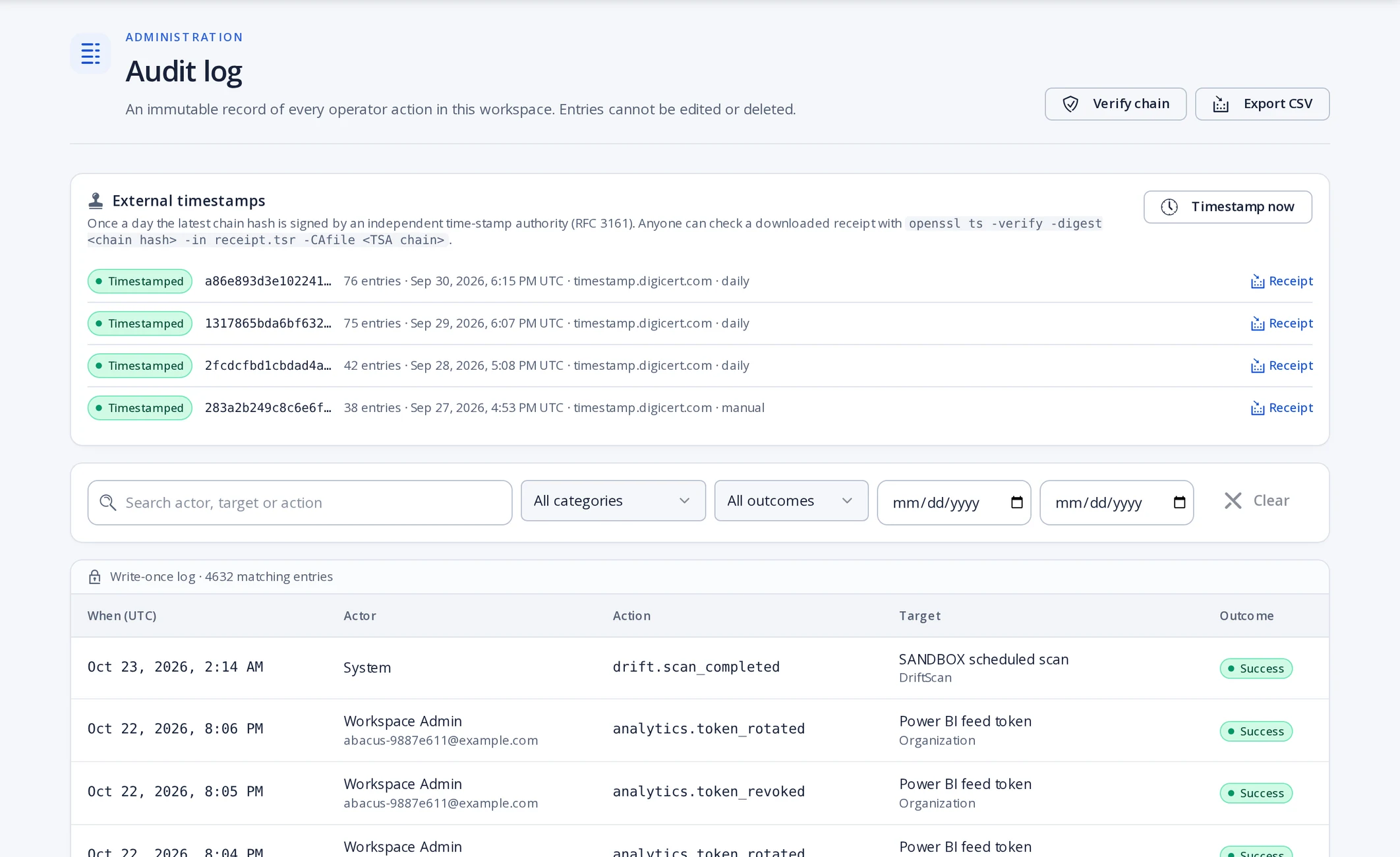
Product screenshot: Audit log 6Evidence
The full trail for the case, a chain check you can run yourself, and a CSV export for your auditor.
- Who acts
- Anyone with audit access
- Systems
- Hash-chained log, RFC 3161 timestamps, export
- Recorded
- Chain verified and anchored to a public timestamp authority
Automated vs guided
Entra ID, Okta, Microsoft 365
Applied and read back
Automated vs guided
Workday, BambooHR, HR feed
Intake
Automated vs guided
ServiceNow, Jira, ServiceDesk Plus
Tickets created and updated
Automated vs guided
Active Directory (on-premises)
Preview. Connector agent protocol live; guided manual steps until an agent is connected
Automated vs guided
Exchange (on-premises)
Guided manual step. Agent coming soon
Questions
What does the interface look like?
A work queue of cases, a case page that walks through plan, approval, apply and verification, and admin screens for profiles, connectors and audit. The step cards on this page show those screens.
Questions
What happens after HR submits a change?
The change becomes a case, Essentriq builds the access plan from the role profile, and the case waits for the approvals your policy requires. Nothing is applied before that.
Questions
How do approvals work?
Approval policies decide who must sign off for each kind of change. Each approver gets a brief, and separation-of-duties rules stop the same person from requesting, approving and applying.
Questions
How does it connect to Active Directory, Microsoft 365 and ServiceNow?
Entra ID, Okta and Microsoft 365 connect through their APIs. ServiceNow, Jira and ServiceDesk Plus receive and update tickets. On-premises Active Directory is in preview through a connector agent that runs inside your network (Professional and Enterprise plans); Exchange is a guided manual step until its connector ships.
Questions
How do I know the action completed?
Essentriq reads the directory back after every apply and compares it with the plan. A case closes only when the read-back matches; otherwise it lands in Exceptions.
Questions
Where is the evidence?
In the audit log: every step is hash-chained, the chain tip is anchored to a public timestamp authority, and you can verify the chain and export it without our help.
Run one change through it yourself.
Start a workspace, connect a directory, and follow a joiner from request to verified evidence.